1. Dev Board Memory Description
The main controller of the dev board is the ESP32-S3R8, where "R8" indicates that there is 8MB of PSRAM internally. Combined with the 8MB of on-board FLASH (BY26Q54), this forms the R8N8 memory configuration. Since there is already 8MB of PSRAM internally, the PSRAM on the back of the dev board is not populated by default, leaving room for users to expand.
2. The dev board feels a bit hot — is it burnt out?
After the dev board enables the RF functions, heating of the dev board is a normal phenomenon.
3. About the reversed antenna connection.
During our early testing, we found that when the antenna was connected correctly, the signal was weak or even absent.
After reviewing the official schematic/PCB project and testing with a professional antenna test vendor, we finally decided to connect the antenna in reverse.
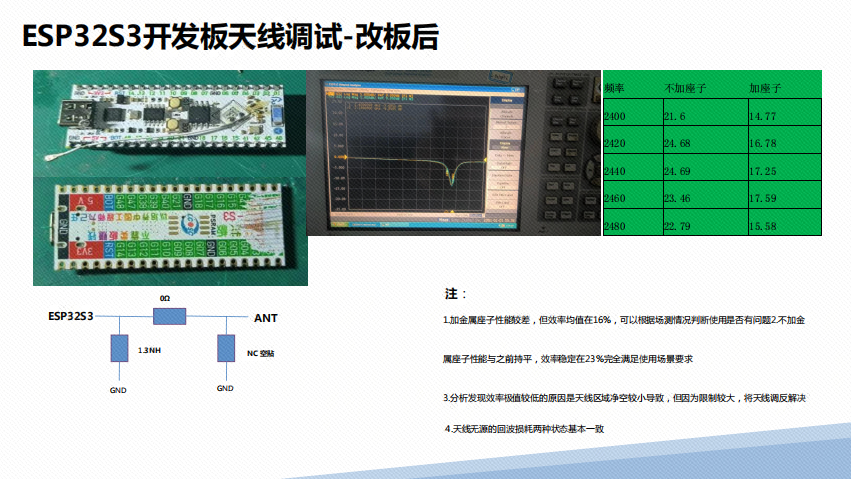
Test Conditions
Enable a Wi-Fi hotspot on the dev board and check the Wi-Fi signal with a mobile phone;
Test Results
At a straight-line distance of 100 meters, with various metal obstacles in between, the measured signal still showed 2 bars;
4. esp32-arduino keeps reporting errors — why can't it compile?

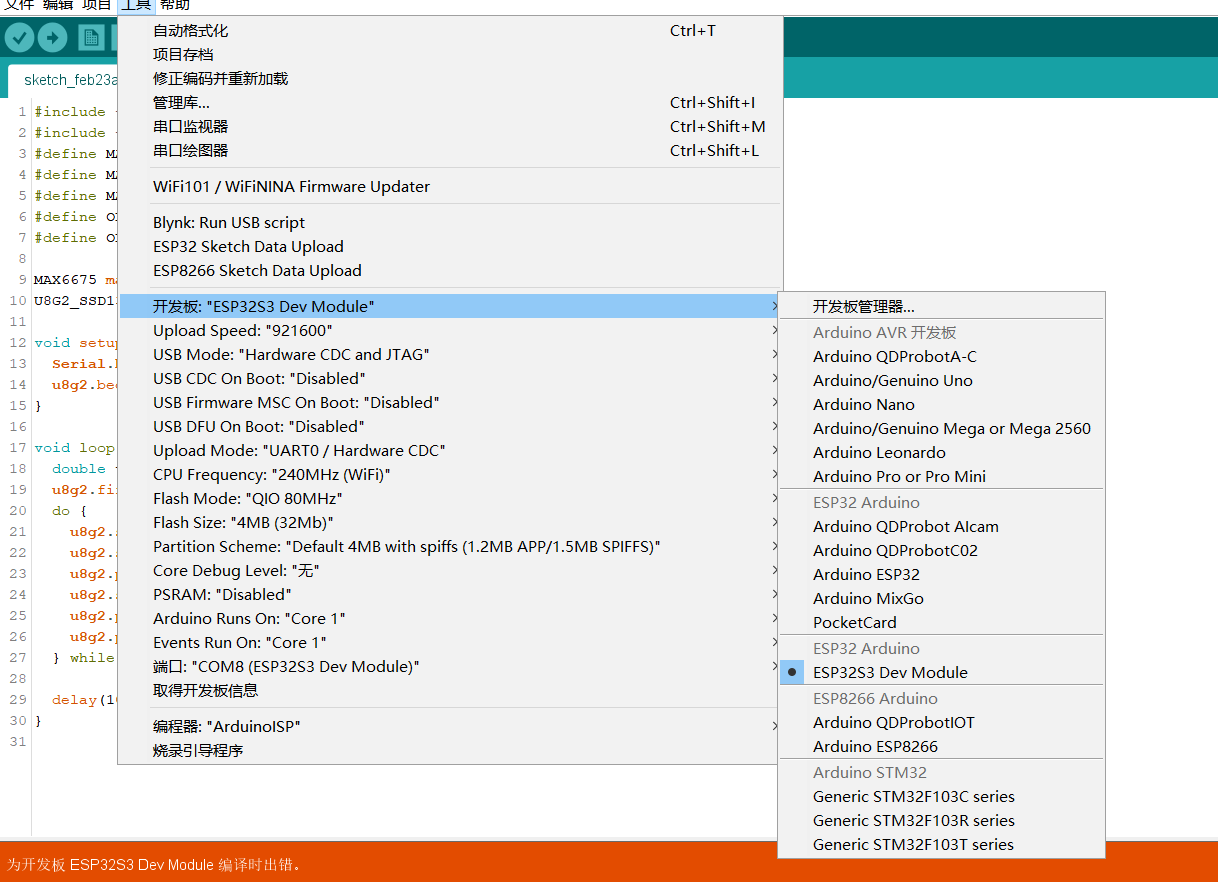
Cause of the error
You did not download the libraries imported in your code, so the corresponding header file paths cannot be found during compilation. First, use the provided Arduino examples to test.
Arduino:1.8.12 (Windows 10), Board: "ESP32S3 Dev Module, Disabled, QIO 80MHz, 4MB (32Mb), Core 1, Core 1, Hardware CDC and JTAG, Disabled, Disabled, Disabled, UART0 / Hardware CDC, Default 4MB with spiffs (1.2MB APP/1.5MB SPIFFS), 240MHz (WiFi), 921600, None"

C:\Users\14770\Desktop\arduino\arduino\portable\sketchbook\libraries\MAX6675\max6675.cpp:9:10: fatal error: util/delay.h: No such file or directory
 #include <util/delay.h>
          ^~~~~~~~~~~~~~
compilation terminated.

exit status 1
Error compiling for board ESP32S3 Dev Module.
Invalid library found in C:\Users\14770\Desktop\arduino\arduino\portable\sketchbook\libraries\APDS9900: no headers files (.h) found in C:\Users\14770\Desktop\arduino\arduino\portable\sketchbook\libraries\APDS9900
Invalid library found in C:\Users\14770\Desktop\arduino\arduino\portable\sketchbook\libraries\ESP8266GET: no headers files (.h) found in C:\Users\14770\Desktop\arduino\arduino\portable\sketchbook\libraries\ESP8266GET
Invalid library found in C:\Users\14770\Desktop\arduino\arduino\portable\sketchbook\libraries\LIB_AVR_MODBUS: no headers files (.h) found in C:\Users\14770\Desktop\arduino\arduino\portable\sketchbook\libraries\LIB_AVR_MODBUS
Invalid library found in C:\Users\14770\Desktop\arduino\arduino\portable\sketchbook\libraries\APDS9900: no headers files (.h) found in C:\Users\14770\Desktop\arduino\arduino\portable\sketchbook\libraries\APDS9900
Invalid library found in C:\Users\14770\Desktop\arduino\arduino\portable\sketchbook\libraries\ESP8266GET: no headers files (.h) found in C:\Users\14770\Desktop\arduino\arduino\portable\sketchbook\libraries\ESP8266GET
Invalid library found in C:\Users\14770\Desktop\arduino\arduino\portable\sketchbook\libraries\LIB_AVR_MODBUS: no headers files (.h) found in C:\Users\14770\Desktop\arduino\arduino\portable\sketchbook\libraries\LIB_AVR_MODBUS
Invalid library found in C:\Users\14770\Desktop\arduino\arduino\portable\sketchbook\libraries\APDS9900: no headers files (.h) found in C:\Users\14770\Desktop\arduino\arduino\portable\sketchbook\libraries\APDS9900
Invalid library found in C:\Users\14770\Desktop\arduino\arduino\portable\sketchbook\libraries\ESP8266GET: no headers files (.h)Cause of the error
You did not download the libraries imported in your code, so the corresponding header file paths cannot be found during compilation. First, use the provided Arduino examples to test.
// Runs only once
void setup()
{
  // Set GPIO48 pin to output mode
  pinMode(48, OUTPUT);
  // Set pin 48 to output low level (turn on the LED)
  digitalWrite(48, LOW);
}
// Runs repeatedly
void loop()
{
  digitalWrite(48, LOW);
  delay(100);
  digitalWrite(48, HIGH);
  delay(100);
}If it works normally, it should compile successfully.
5. Why is the memory different from what is described?
Answer:Running micropython.mem_info() returns the total heap size, which is configured when compiling the MicroPython firmware and can be adjusted dynamically. For example, if you create a new variable and then call it again, the result will be different. To check the memory, you can use this:
gc.mem_free()Or this:
esp.flash_size()6. Why does plugging in USB show two serial ports?
Because there is an on-board USB HUB on the dev board, which expands into two interfaces — one connected to the serial port for automatic downloading, and the other connected to the ESP32's USB communication line. That is why two ports are displayed.
7. After connecting the dev board to the PC, the port keeps reconnecting repeatedly
User: After connecting the dev board to the PC, the port keeps reconnecting repeatedly. Just place the following at the video position:
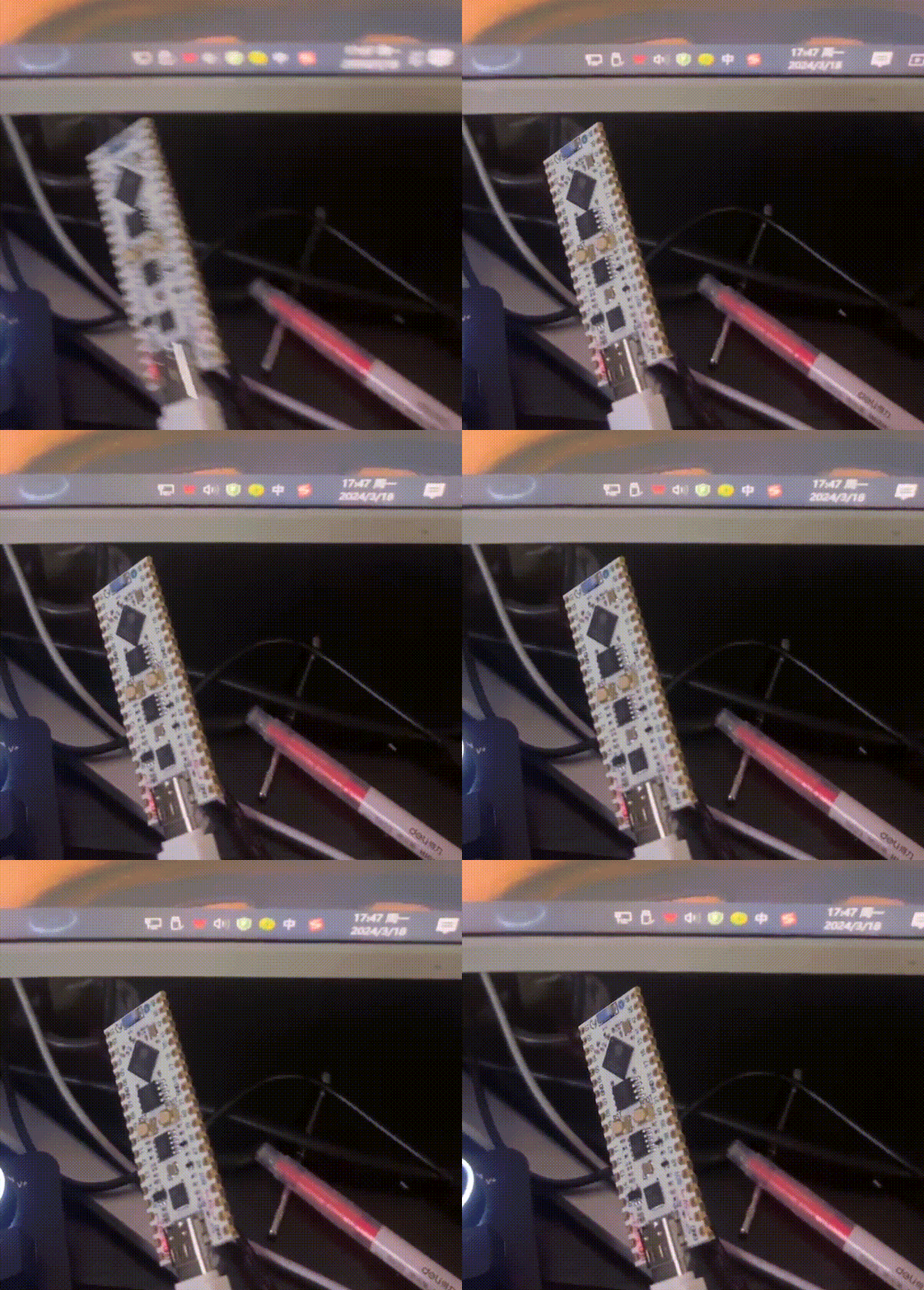
Reply: Hello, if the dev board is normal, the PC will detect two ports. In your case of repeated reconnection, are both ports disconnecting and reconnecting at the same time, or is only one disconnecting and reconnecting repeatedly? You can open a serial debug assistant to check whether the CH340K port of the dev board is consistently recognized.
User: The CH340K can be recognized, but after opening the serial port it keeps sending 0xfffff.
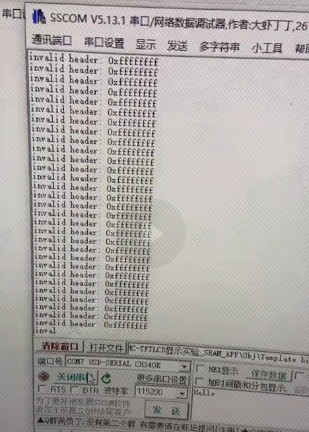
Reply: The factory test firmware has been lost. Reflashing the firmware should fix it. I will send you a firmware file and the flashing tool.
Factory Test Firmware Download
In the Baidu Netdisk link under Download Center
Development Tools -> Firmware Flashing Tool -> flash_download_tool_3.9.5 -> bin, download wifi_led.bin
Flashing Tool Download
In the Baidu Netdisk link under Download Center
Development Tools -> Firmware Flashing Tool -> flash_download_tool_3.9.5, download flash_download_tool_3.9.5.exe
Operation video: Just place the following at the video position:
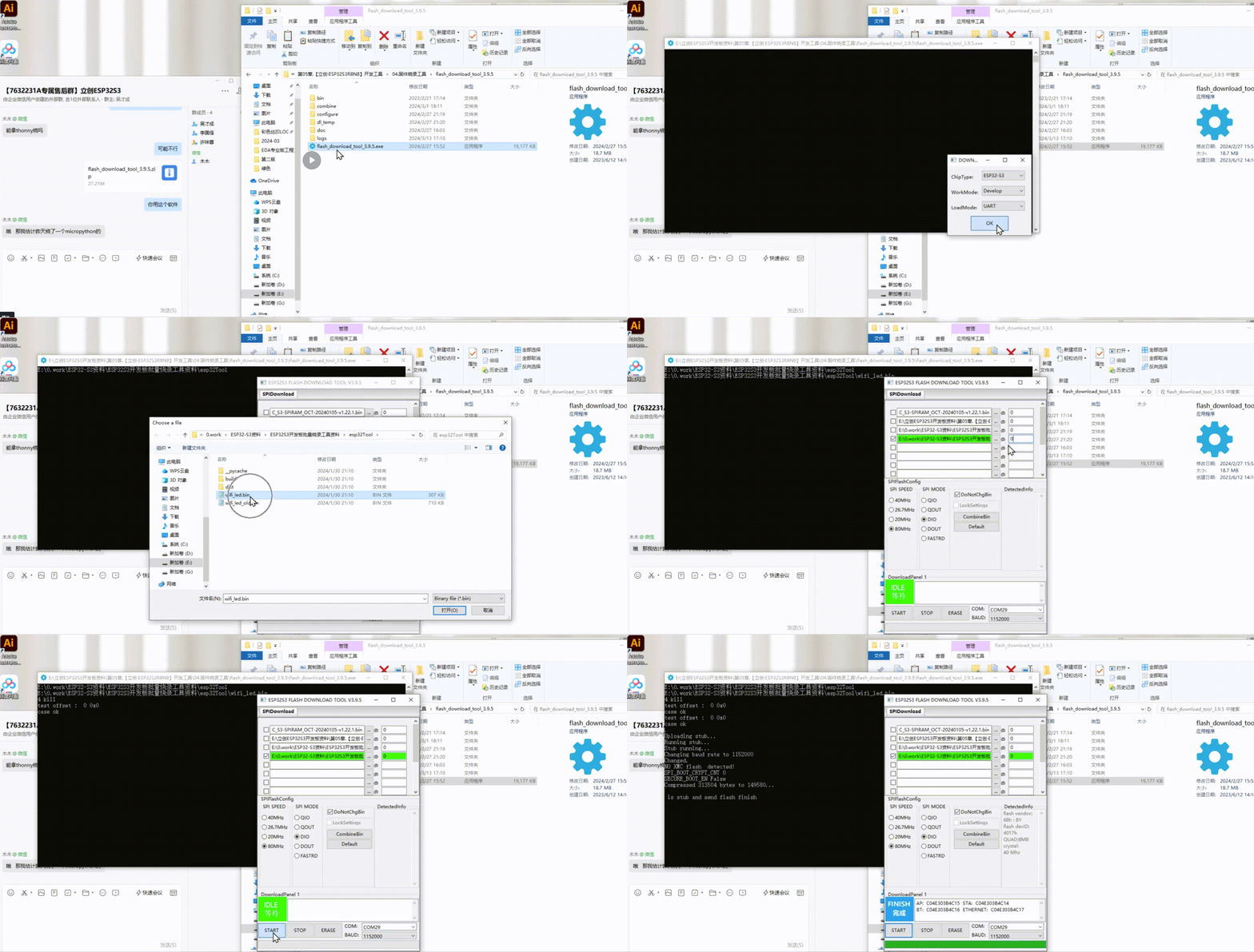
Please take a look at this flashing steps video. The software and firmware used in the video are what I just sent.User: OK, it no longer pops up repeatedly. I used Thonny to flash the official MicroPython firmware directly; I tried several and they all had this problem, but using your method there is no problem.
8. The capacitive touch value does not change when used in MicroPython
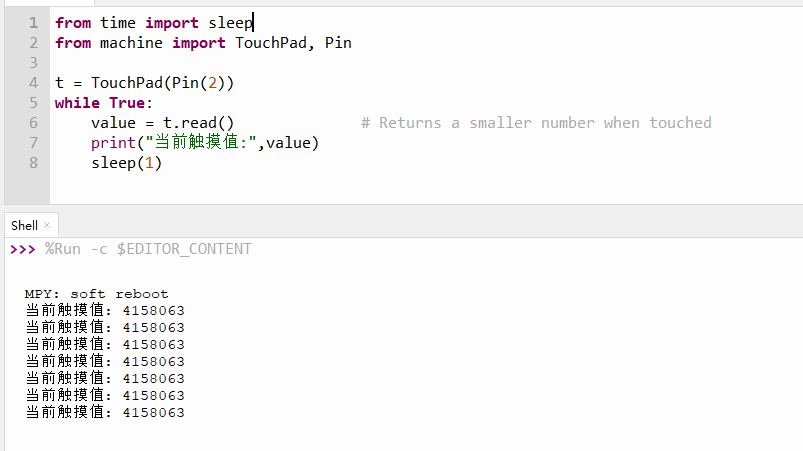
Reply: Testing found that the official MicroPython basic firmware based on ESP32-S3 indeed cannot read data — the data stays constant. However, using the official MicroPython firmware based on ESP32-S3 with extended PSRAM (8MB), the touch function works.
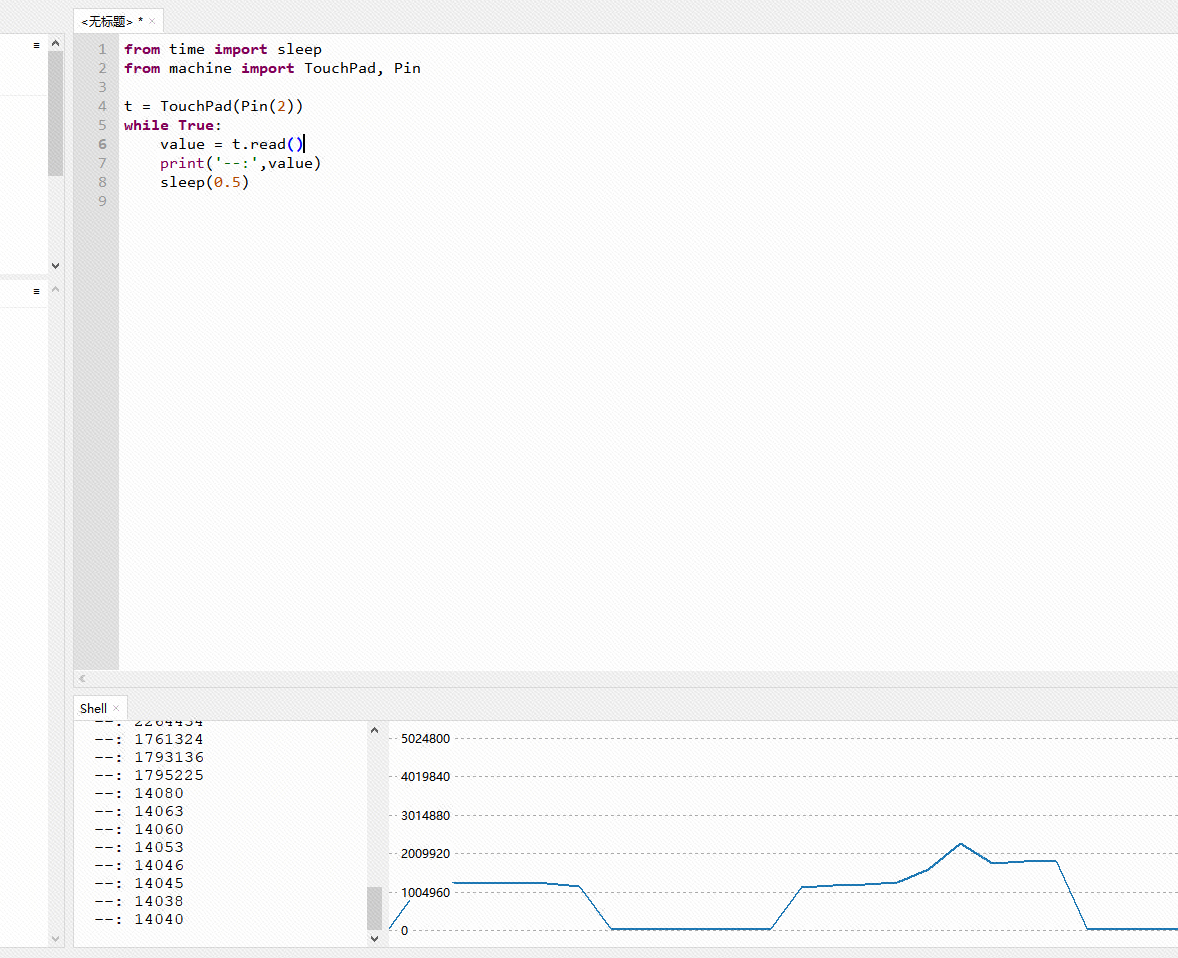
The firmware is as follows:
File Download
In the Baidu Netdisk link under Download Center, go to Development Tools -> microPython Firmware and download ESP32_GENERIC_S3-SPIRAM_OCT-20240105-v1.22.1.bin
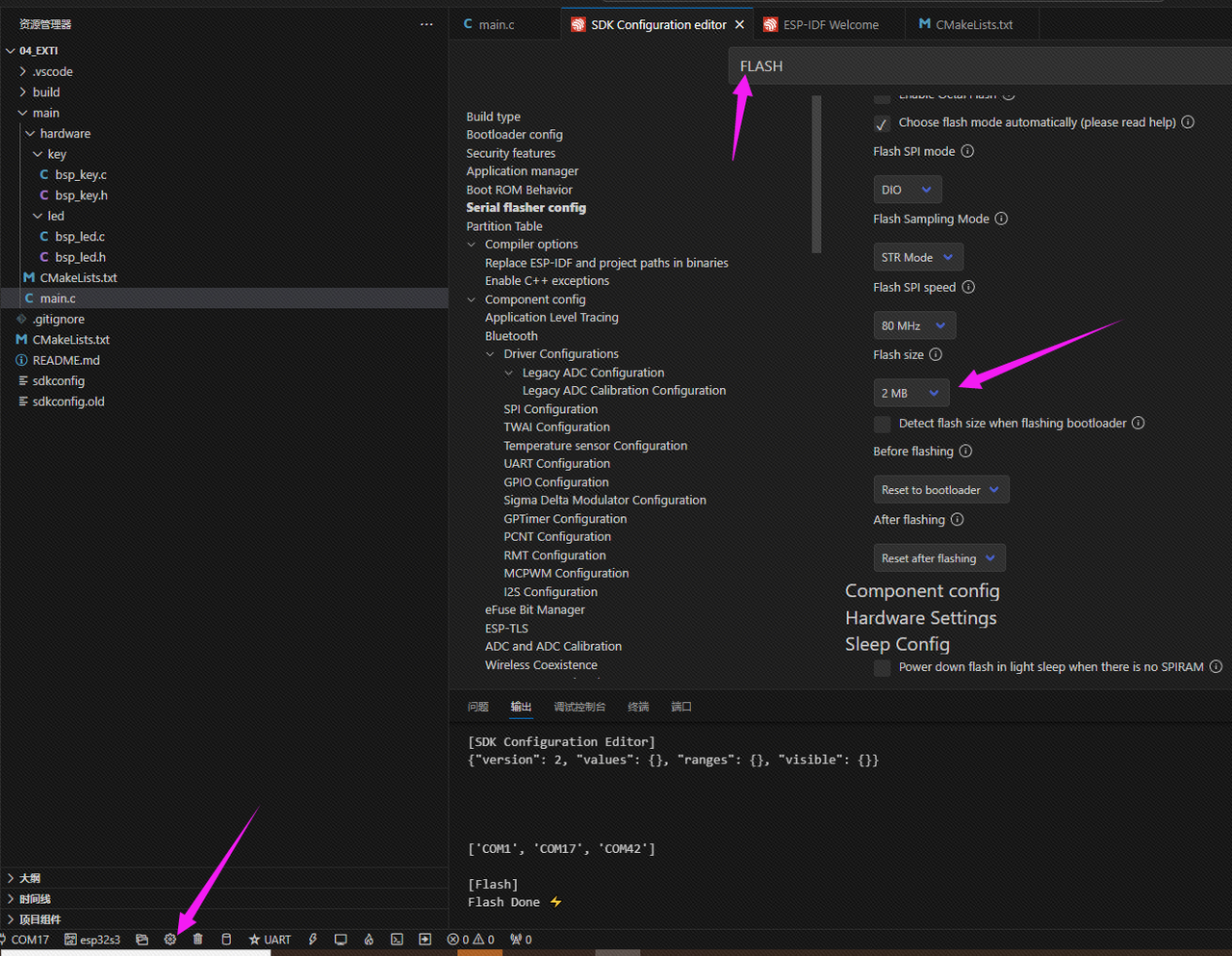
9. Replacing the dev board's main controller with R2 and the FLASH with W25Q32, the code firmware flashing keeps failing
Reply:
Hello, I reproduced this on the LCSC-Openkits(LCKFB) ESP32S3R8N8 dev board, replacing the main controller with the ESP32S3R2 and the external FLASH with the W25Q32.
After the replacement, I powered it on and tried to download code using the FLASH DOWNLOAD TOOL, but it failed. The prompt indicated a FLASH flashing failure, and the serial debug log showed: invalid header: 0xffffff7f.
This was resolved by erasing the memory with the FLASH DOWNLOAD TOOL. After that, both Arduino and IDF worked fine for downloading.
10. MD5 checksum error when flashing code to the dev board
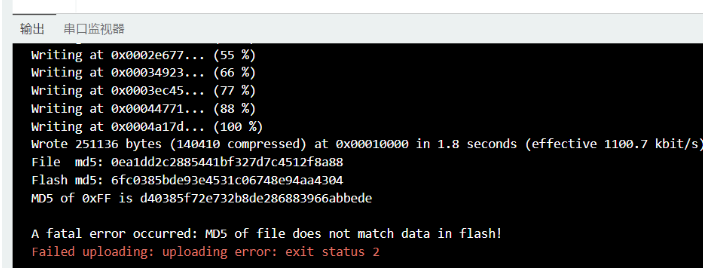
According to the official solution on GitHub: you need to install esptool and run esptool.py --port PORT write_flash_status --non-volatile 0. The PORT should be replaced with the actual port connected to the dev board.
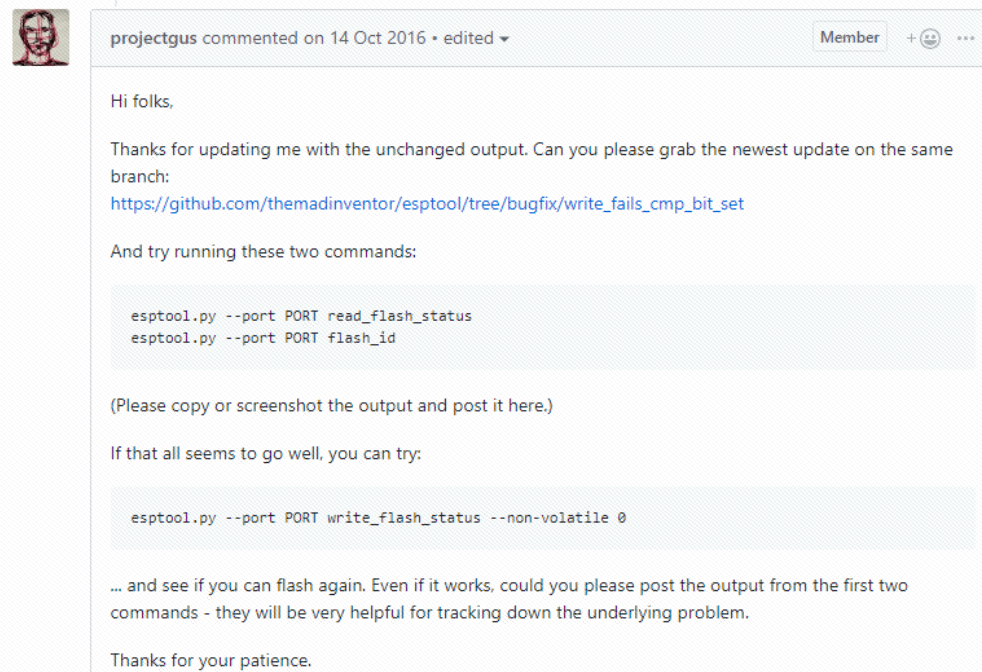
If you run the command directly in the CMD command window, it may prompt that esptool.py is not recognized as an internal or external command.

You need to find the Scripts folder under the corresponding Python path and run CMD there.
How to find the Python path?
Run
where python
If it still cannot be executed, change it to esptool --port PORT write_flash_status --non-volatile 0.
If the following issue occurs while running esptool --port PORT write_flash_status --non-volatile 0:

You need to manually specify that the connected chip is the esp32s3, changing the command to:
esptool --chip esp32s3 --port PORT write_flash_status --non-volatile 0If there is no esp32s3 option, please update esptool. The update command is:
pip install --upgrade esptool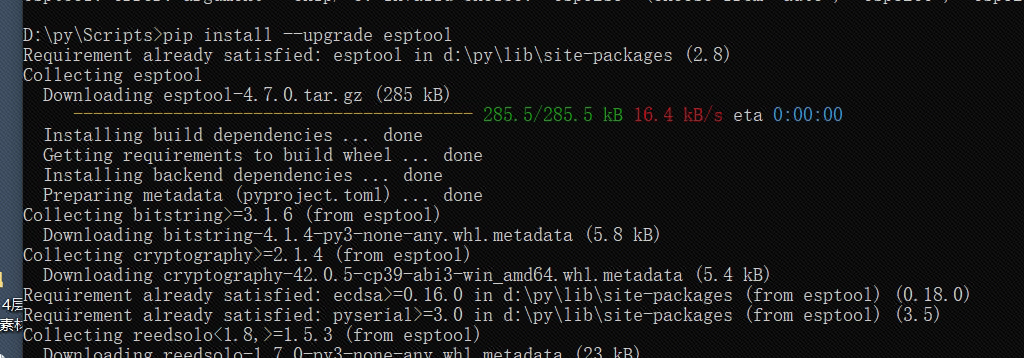
Header files show red warnings but compilation succeeds — how do I remove the red warnings?
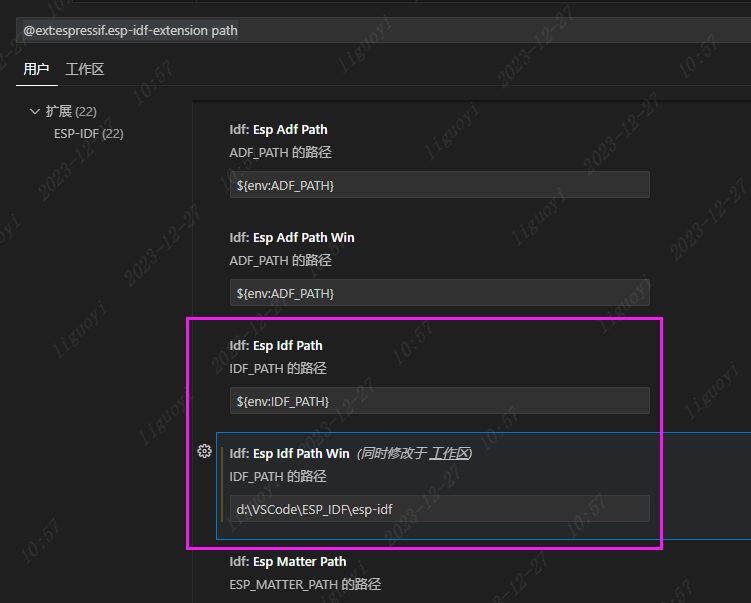
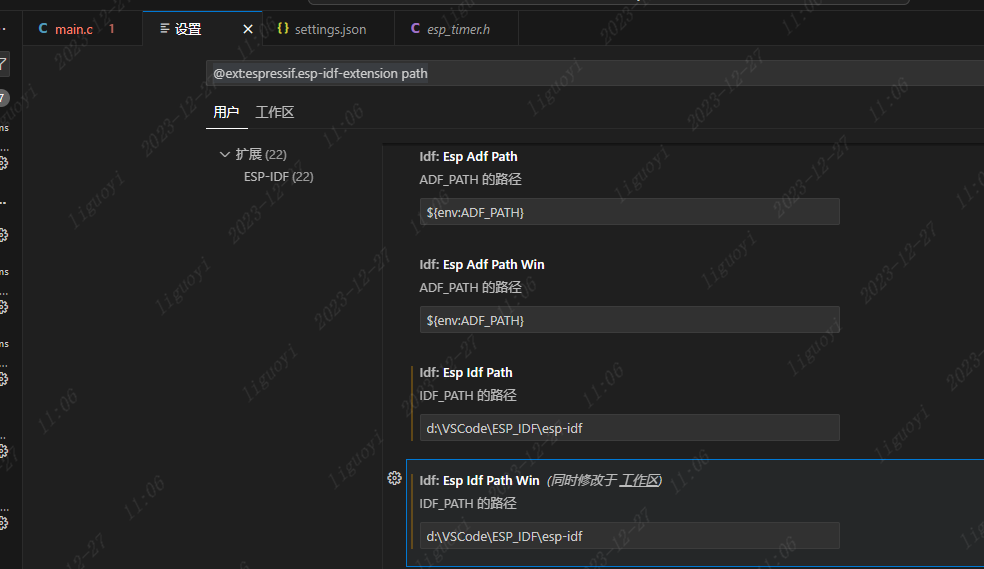
Open the ESP-IDF extension settings.
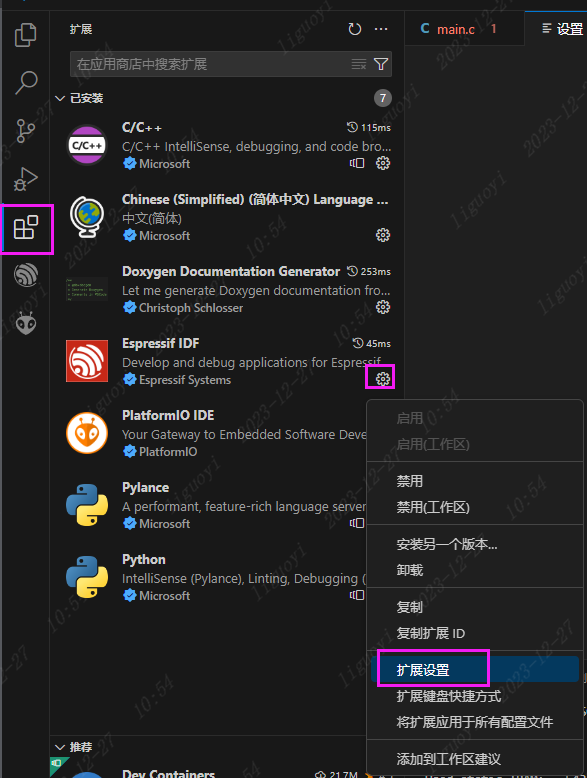
In the input bar at the top, enter the following:
@ext:espressif.esp-idf-extension pathFind Esp Adf Path and Esp Idf Path Win. Change the path of Esp Adf Path to match the path of Esp Idf Path Win.