

Description
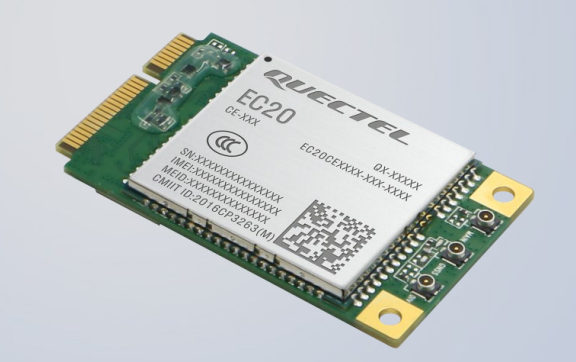
The EC20-4G module is a 4G LTE communication module produced by Quectel, supporting multi-band LTE network connections, suitable for IoT, vehicle-mounted communication and other application scenarios. This module integrates rich interfaces and functions to meet various data transmission requirements.
- Model:
EC20CEHDLG-MINIPCIE-C - Interface Type:
Mini PCIe - LCSC Mall Number:
C2916192 - LCSC Mall Purchase Link: 👉:EC20-4G Module (Mini PCIe Interface)
Download Corresponding Image
Use Network Disk🚀 to download our provided .img image file from the System Image/Buildroot/ directory.
The image used in this document is: TaishanPi-3M-RK3576_Buildroot_AP6256-EC20.img
Look for the image with
ec20in its name.
Connect Module
Insert SIM card:
Special Note: The SIM card must be a
4Gnetwork SIM card and must have data service enabled, otherwise it cannot connect to the Internet.
Insert the EC20-4G module into the board's Mini PCIe interface and connect the antenna.
Flash Image to Development Board
Reference Finished Image Flashing to flash the downloaded image file to the development board.
Configure EC20-4G Module
Note
When the EC20-4G module is powered on for the first time, we need to make some basic settings to use WWAN dial-up for Internet access.
Enter the following command:
echo -e 'AT+QCFG="usbnet",1\r' > /dev/ttyUSB2Then reboot the development board:
rebootNetwork Connection Test
Start the system, log in to the serial terminal, and check if a device starting with usb0 exists. Basically, if usb0 exists and the SIM card can access the Internet, the IP will be automatically assigned:
Serial terminal reference: Serial Debug Usage
ifconfigMake sure WiFi is disconnected and only use 4G network for testing.
Use the ping command to test if the network is connected:
ping www.baidu.com